


Someone asked me for some hacks to easily switch your CRM (Client Relationship Management software) from HoneyBook (or whatever else you’re using) to Dubsado. If you have thought about switching from HoneyBook or any other CRM to Dubsado you are going to want to read this. It will make your life a lot easier.
Notice, I didn’t say take all the work out of it. You are still going to have to set up Dubsado. However, with the tips I share here and the step-by-step instructions, you should be well on your way to getting the most out of Dubsado in no time flat. (If you really want to make the transition faster, book my Done For You Dubsado Setup Service.)
Here’s What We’re Covering in this Article
Tips to make your switch easier, reduce stress, and overwhelm
Steps to set up your Dubsado and bring existing clients into Dubsado
Ways to take the stress out even more by outsourcing some (or all of the move.)
Why would you want to switch your CRM from HoneyBook to Dubsado?
Now, I’m not here to convert anyone to Dubsado. (This certainly isn’t meant to be a Dubsado vs HoneyBook post. I actually setup HoneyBook for clients if that CRM is a good fit for them.)
If you are happy with HoneyBook, you should definitely stick with it. HoneyBook is simple and easy to use. If you aren’t particularly tech-savvy or don’t want a ton of workflow features, HoneyBook is definitely for you. The invoicing is well done and a lot of people really like the interface.
 Before we get into my tips and the steps I recommend for transitioning your CRM to Dubsado, let’s talk about why you might want to go through all the hassle in the first place.
Reasons You Might Want to Switch from HoneyBook to Dubsado
However, if you are reading this, it’s likely that you’ve discovered that HoneyBook or your other CRM just doesn’t have the features that you want for your business. Here are some reasons that you might want to consider Dubsado as a CRM for your creative business.
- More automation options and ways to trigger automations. (This is the biggest reason in my opinion.)
- You can start a workflow with the scheduler which I love as an option. I did find a workaround for one of my clients, but it still wasn’t the way we wanted to build things.
- You can create custom-mapped smart fields to capture client information your way. (I miss this when setting up HoneyBook for clients.)
- I’ve personally had to pay invoices to contractors and I HATED having to log into HoneyBook’s client portal every time I had to pay an invoice. I can imagine it’s an inconvenient and weird process for most clients. Dubsado’s link directly to the invoice is a much smoother process.
- The Client Portal keeps everything in one place for your clients.
Before you just up and switch. I highly recommend taking it for a test drive. (Dubsado has a free trial for your first 3 clients. So even if you use one as a test client, you still have two clients.) Want to get a good deal on your membership? Use my link to save 20% off your first month or year.
If you’ve decided you want to switch your CRM to Dubsado, here are my five tips to make it easier.
Tip #1 – Take Your Switch from HoneyBook to Dubsado One Step at a Time
To avoid getting overwhelmed, take it one step at a time when you switch from HoneyBook to Dubsado. Don’t try to do everything at once, you’re just gonna go crazy. Set up everything one step at a time. I find that it helps to have a checklist to make sure that you don’t forget anything as you set your Dubsado up. You can find my handy getting started checklist here. to help you make sure you don’t miss any steps.
Tip #2 – Don’t Stress About Canceling Your Current CRM Right Now
Don’t stress about canceling your current CRM right now. You don’t have to hit some imaginary deadline. You can downgrade to the free program that HoneyBook has and use it as long as you want. I highly recommend making time in your calendar to set up your new system and sticking to it, but adding extra stress by trying to hurry up and do it before your next billing cycle is going to make you crazy!
If you have another CRM, look into options to downgrade to take the pressure off of yourself. You can set up your new clients in your Dubsado account without having the whole system set up. This way you won’t feel pressured to hurry up and get it done.
A rushed set-up is generally a very broken set-up in my opinion. You’ll end up with lots of broken workflow steps and a poor client experience. Even worse, if you’re working with clients for a longer process (wedding service providers, this is definitely you.) You’re going to be stuck with copies of old broken workflows and bad forms for a long time as Dubsado makes a copy of workflows and forms when the workflow is applied to a project.

Tip #3 – Use the Dubsado Free Form Import
If you have templates outside of Dubsado and are looking to recreate those in Dubsado, you can email up to 10 over to Dubsado and they’ll input them into Dubsado for you for free. Just email your forms to forms@dubsado.com! This can be a huge time saver, but you do have to wait for Dubsado to do this for you. (If you’d rather skip the wait and get a little help upgrading your forms while you’re at it, book a free 15 Minute Discovery Call with me and lets chat about how I can re-create your forms for you.
Tip #4 – Take Time to Write Out Your Process Before You Start Building
Take time to write out your process (workflow) BEFORE you start building your set-up. Ideally, take it one step further and make a list of all of the canned emails, forms, packages, etc. you need to create to create your workflows. I know this sounds tedius, but believe me it’s 100% worth it as you’re setting everything up!
If you really want to get the most out of your Dubsado setup, book a 90-minute Systems Strategy Session with me. You’ll come out of that call with a clear process for delivering each service you offer, a list of every form, canned email, and template that you need to create BEFORE building your workflows.
Tip #5 – Test Everything Before You Start Using Your New System!
Don’t just implement your new systems without testing them. You’ll feel so much more confident in them if you’ve tried them out from the client’s perspective first. You’ll find all the glitches, weird client experience things, and stuff that isn’t working the way you thought it would. Plus, you’ll have the chance to fix it before real clients get involved and you have to explain that you’re onboarding a new system. Most people will understand, but trust me it’s MUCH easier to make fixes without having every fix multiplied a few times. (Every time a workflow is applied to a client, you have to fix it on each duplication to get the changes that you made AFTER the workflow was applied.
Now Let’s Get Into The Steps of Setting Up and Migrating Your Clients Over to Dubsado from HoneyBook (or Your Current CRM.)
Now let’s cover the steps that you’ll need to take to switch your CRM to Dubsado. For the whole checklist, and some great bonuses, grab my Ultimate Dubsado Checklist below.
Step 1. Set up all of your Dubsado Settings
(Be sure to set up any custom-mapped fields for data you want to import from your existing clients later on in this process as you switch CRMs.)
Step 2. Connect your email, calendar, and payment processor
Follow the steps for each of the processes linked below. Yes, you could do this later, but I prefer to knock it out now so you don’t forget about it later.
3. Connect your payment processor
Step 3. Write all of your canned emails (or copy and paste them from spreadsheets, word docs, your CRM, or wherever else they live.)This is a very time consuming process. I’d budget a few hours to copy and paste/edit or just write emails from scratch. Most workflows that I’ve built for clients need at least 10 or more per service.
Step 4. Re-create your forms in Dubsado
(Want to take this off your list? I’ll re-create your forms for you. Book a free 15 Minute Discovery Call with me and I’ll create a quote to re-create and improve your forms for you.)
Step 5. Create your Dubsado schedulers
Dubsado’s schedulers are great if you’re working as a solopreneur and providing one-on-one services. If this is you, go ahead and create the schedulers that you’ll need to deliver your services.
Step 6. Set-up your workflows
Time to start creating your workflows! This is where the magic starts to happen. If you’re not feeling the magic yet, you will when you see it all working.
I usually start this process by creating the individual workflows first. Then I start with the lead capture workflow and build the steps in each one. This way, you can automatically start the next workflow without having to go out, build the next workflow and remember to go back and connect it later.
Here’s what I mean. Create four workflows. Ex. Lead, Onboarding, Delivery, Offboarding. Create the steps that need to happen in each of them starting with lead. When you’re building your workflow steps, you’ll want to think what do I want to happen and when do I want it to happen. Ex. If you want to have a client fill out a form and then get a scheduler to book an appointment, you’ll want the send scheduler action to be triggered after a form is completed and not after all previous actions are complete.
If all that makes your head hurt, you can book a 90-minute Systems Strategy Session with me (or any of my other Dubsado set up services) and get help figuring out how to build your workflows.
Step 7. Test everything
Once you have all the pieces assembled, test your Dubsado workflows. You can easily do this by going to your lead capture form, clicking on the share link and filling out the form. Then go to the project you just created and click on workflows. Is what you created working the way that you wanted it to?
Step 8. Import your client list using a CSV file.
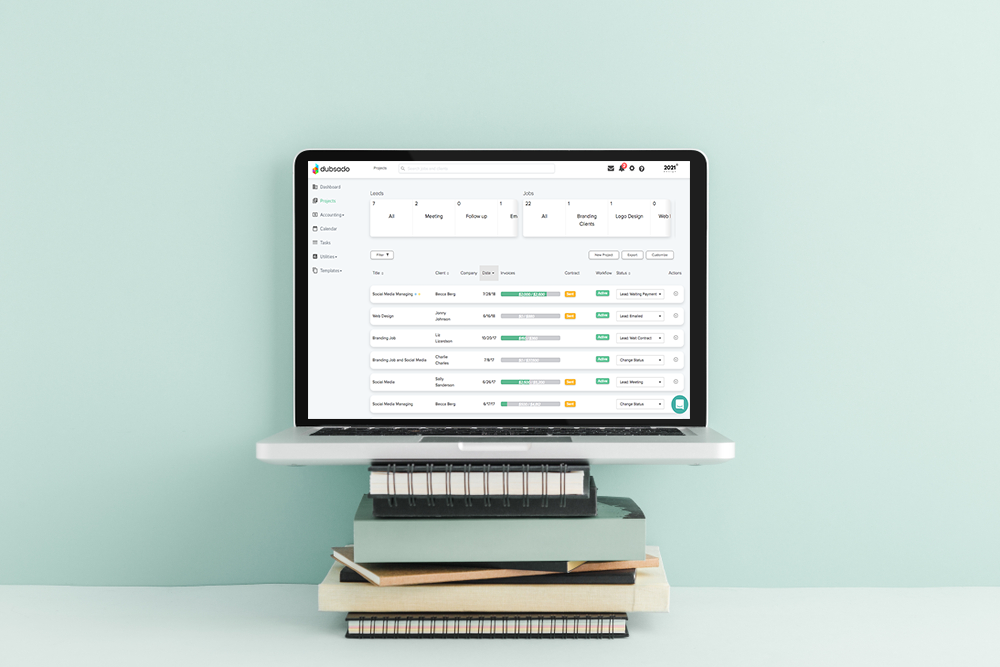
Now it’s time to start the switch to Dubsado as far as bringing your clients into your new system. Start by creating a CSV file. Most of your CRM softwares (and even Google Sheets) will let you export a file as a CSV.
Note: You can’t bulk upload your forms or start workflows using a file upload. Also, you can only upload the following information…
- First Name
- Last Name
- Phone
- Company Name
- Address Line 1
- Address Line 2
- City
- State/Province
- Zip/Postal Code
- Country
- Custom Mapped Client Fields
Anything not mapped to these fields will be mapped to the notes section for each project. (You get to choose what you import into notes and what you leave out.)
Be sure to take time to carefully consider the information you’d like to bring in as you switch your CRM to Dubsado. Also, take time to properly set up your data import. This Dubsado tutorial is helpful. Watch the video that walks you through setting up your CSV file.
Step 9. Create a project for each existing client that you’re bringing over as you switch your CRM
You’ll need to create a project and select the client that you uploaded into your address book. Then add a title for the project. I usually recommend something like Client name | Service or Address | Client Name (for home stagers.)
Step 10. Import the forms as PDFs for each client
Make a folder on your desktop. Download the forms for each client currently in your CRM with an active project as PDF files. Upload the files into the project that you created for this client when you uploaded your CSV file.
For Contracts: Go to the project, click the dropdown next to contract, and select upload as a PDF.
For Other Forms: Go to the forms tab on the project. Use the dropdown to scroll down and select Upload New PDF as the form. Select your file and click Add. Hover over the file and click Apply to Portal to mark it as already having been sent to the client.
Step 11. Create any outstanding invoices for each client
Manually apply any payments that have already been made. Then add the relevant payment plan for any invoices that have a remaining balance due.
I know that this all seems like a lot, but it’ll totally be worth it once you’ve got everything set up. You’re going to love what Dubsado can take off your to-do list when it comes to admin work, managing leads and clients. If you’re wondering if there’s an easier way, I’ve got you covered.
Would you like more help switching from HoneyBook or another CRM to Dubsado you’ve got options.
If you REALLY want me to help you switch from HoneyBook or another CRM to Dubsado you have two options. The DIY version with a TON of support from me… This is the Done WITH YOU Dubsado Setup where we have the 90-minute Systems Strategy Call and you get a weekly checklist from me along with a course that walks you step-by-step through each part of your set-up.
You’ll have access to my canned email template library, one-click form templates, and other resources to cut your set-up time in half.
Plus, you’ll get four weekly calls with me to go over everything you’ve set up, get your questions answered AND make sure everything’s set up correctly. Want to import your existing clients from another CRM or data management tool? I have a whole training walking you through the steps to do that inside the Done WITH You Dubsado course.
I LOVE helping my clients through this service and seeing the confidence they gain as they learn to use their system with me.
Want Me to Switch Your HoneyBook CRM to Dubsado and Set Up Your Dubsado Workflows?
You’ll want my Done For You Dubsado setup. With this option, we go through the 90-minute Systems Strategy Call together and then I build everything for you.
This includes…
- Writing the 50+ emails required to set up most workflows
- Creating every beautiful branded form we identified in your Systems Strategy Session
- Setting up your Dubsado Schedulers
- Walking You Through Connecting Your Email, Calendar, Payment Processor, and other integrations, showing you how to embed your forms in your website and setting up the workflows.
- If you’re importing your clients into Dubsado from another CRM, Google Spreadsheets, or another type of data file, I’ll bring everything in for you including contracts and forms for current projects. Making the switch of your CRM to Dubsado pain-free.
When everything is set up, we’ll go over your whole set-up together AND you’ll get 30 days of follow-up support as well as access for life to my Client Training Library. (By the way, I’m constantly adding content to that library so it’s a great resource for you as you embark on your Dubsado journey.)
Here’s What We Covered in This Post
Why you may (or may not) want to switch from HoneyBook to Dubsado. Tips to make the switch to Dubsado easier. (Including how to have Dubsado re-create your forms for you for FREE. Plus, how you can get my Dubsado set-up checklist to save even more time or have me complete your set-up for you to save the most time.





+ view comments . . .